
Uncommitted
Every repo with uncommitted or unpushed work, one glance away in your macOS menu bar. Native, fast, always up to date.
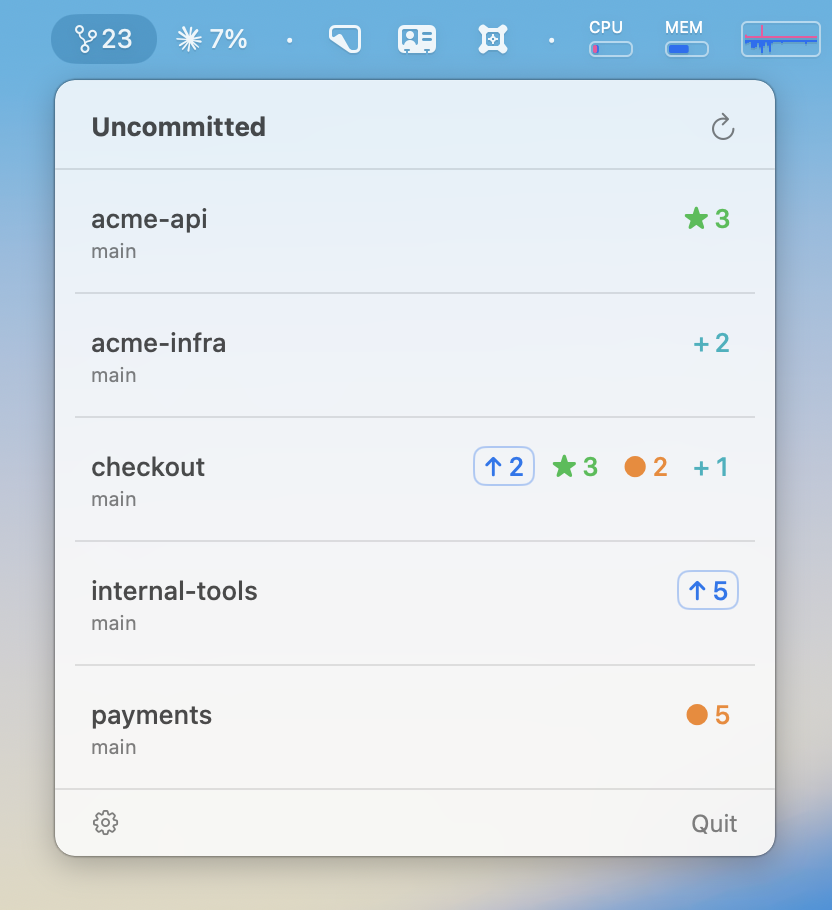
Every repo with uncommitted or unpushed work, one glance away in your macOS menu bar. Native, fast, always up to date.
A git-branch icon and a single number: how many repositories need your attention. Click for the full breakdown — never lose a stash, a forgotten commit, or an unpushed branch again.
A live FSEvents file-system watcher updates counts the moment something changes — no timer hammering your disk.
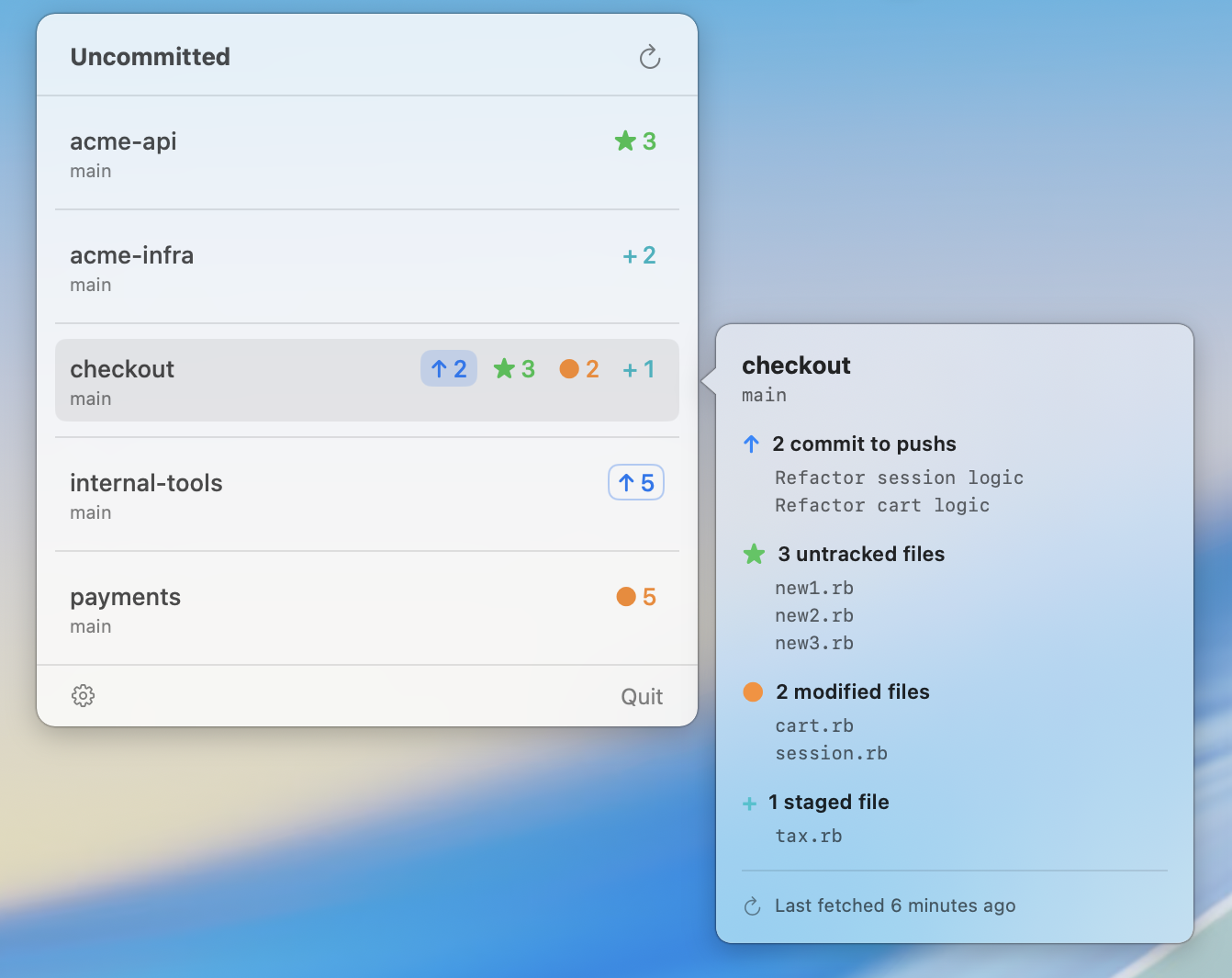
Untracked, modified and staged file counts, plus unpushed and unpulled commits — per repo, broken down by category.
Click the ↑ pill to git push, the ↓ pill to git pull --ff-only. Failures surface git's real error; nothing silent.
Optional per-repo GitHub status via the gh CLI. The menu-bar icon turns red when any tracked repo has failing CI.
Each repo row carries compact, colour-coded badges. The arrows are interactive; the rest are read-only counts.
Signed by Apple, no Gatekeeper warning or right-click workaround. Updates itself afterwards via a built-in updater.
Uncommitted-X.Y.Z.zip.Uncommitted.app into ~/Applications.Want the detail? Full README · Release notes